Free tool

AI Avatar Generator

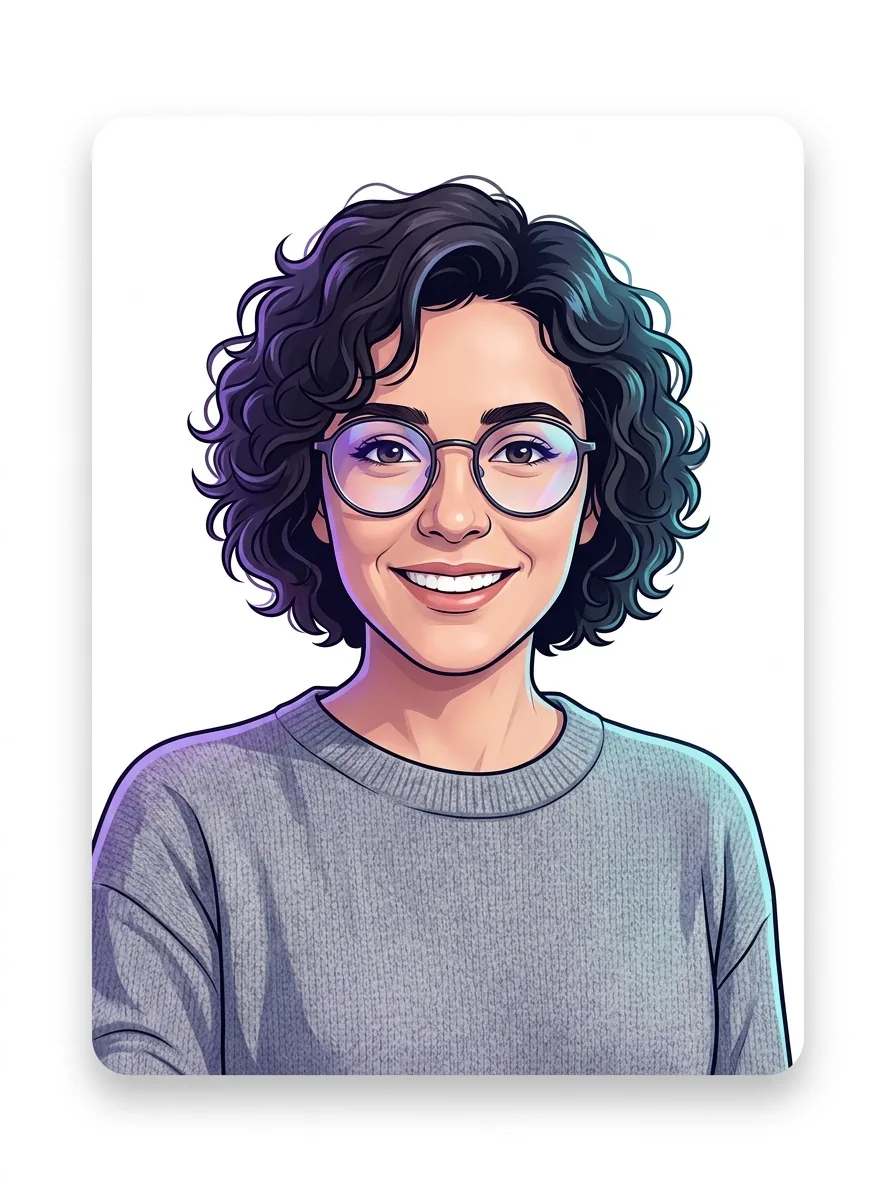
Turn your selfie into a polished avatar with our AI avatar generator, then download it for your profile or socials.

★★★★★ 4.8 · loved by 2M+ creators
Free to tryAvatar packsHD on sign-in
PNG · packs of 20+

Why us

Get polished photos without the usual hassle

MiFoto helps you fix everyday photos and create fresh looks in one place, so your images feel clean, sharp, and ready to share.

Handle everyday edits in one place

You can clean up a selfie, refresh an old family photo, and prep a product shot without jumping between apps. That saves time, keeps your photos consistent, and makes small jobs feel simple instead of annoying.

Keep results natural, not overdone

Your photos still look like your photos after editing. Skin stays real, details stay believable, and restored images keep their character. That matters when you want a polished look without the fake, plastic finish many tools create.

Use it for real life, not just special projects

MiFoto fits the photos you already take, from profile photos and travel shots to shop listings and family pictures. You get cleaner images for work, school, social posts, and personal memories without needing a separate tool for each job.

Start free and keep more photos usable

Instead of giving up on a blurry, faded, or messy photo, you can often save it and use it again. That means fewer throwaway shots, more shareable pictures, and a practical way to improve the images you already have.

Explore

Using an AI avatar generator

These topics show what this tool makes, how to get a strong avatar from one photo, and which styles work best for profiles, social posts, and personal branding.

ai avatar generator — topic section inline 0

AI avatar from your own photo

An AI avatar starts with a photo you already have. Upload a clear selfie, pick a look, and MiFoto gives you a first avatar version you can keep or refine. This input-to-result flow is simple for beginners because you are not building a face from scratch. If you want the setup steps, see the guide on how to make an AI avatar after you get your first result.

Natural avatar-style portrait made from a casual selfie

Avatar maker styles you can try

An avatar maker works best when you can test different looks without retaking your photo. You can explore clean professional styles, playful cartoon looks, soft artistic portraits, or bold social-ready edits until one fits your use. If you want a more illustrated look after this, try a photo to cartoon tool. You can also browse AI avatar style ideas before you generate avatar versions for different platforms.

ai avatar generator — topic section inline 2

Free AI avatar generator online

A free AI avatar generator lets you try the result before you commit to anything complicated. You can use it online in your browser, which means no heavy software, no design training, and no need to learn layers or masking first. That makes it useful for quick profile updates, creator pages, and casual social posts. If you want a tighter face crop later, an AI selfie generator can help you make a cleaner source photo.

Finished profile-ready avatar portrait from a real selfie

Profile picture avatar results you can use

A profile picture avatar gives you something specific to post, save, and share. Instead of a loose concept, you get a finished portrait image that works for social accounts, chat apps, community profiles, and personal branding. A good result keeps your face recognizable while cleaning up the overall style. For more polished account-ready options, an AI profile picture generator can help you compare tighter profile formats and browse profile picture ideas.

ai avatar generator — topic section inline 4

What makes avatar results look better

Good avatar results usually come from a sharp, front-facing photo with even light and a clear view of your face. Avoid heavy shadows, sunglasses, crowded backgrounds, and group shots if you want the avatar to stay close to you. Small fixes help too, especially if you brighten the face or clean up blemishes first. A quick pass with a photo retoucher can improve your source image before you make new versions.

How it works

Use the AI avatar generator in 3 steps

Upload one clear photo, choose the look you want, then download a finished avatar you can use for social profiles, chats, and creator pages.

Natural selfie photo ready to turn into an avatar
1

Step 1: Upload a clear face photo

Start with one selfie or portrait where your face is easy to see. A front-facing photo with simple lighting gives the tool a better base for your avatar.

Finished avatar made from the same selfie
2

Step 2: Pick a style and let it render

Choose the vibe you want, such as clean professional, playful cartoon, fantasy, or bold creator art. The tool keeps your face recognizable while changing the look, background, and overall finish.

Downloaded avatar result for a profile photo
3

Step 3: Download your finished avatar

Save the final avatar image once the render looks right. You get a ready-to-use profile photo style image that works for a social account, gaming profile, channel page, or messaging app.

Make an avatar for every profile

Create a clean, styled photo for social profiles, gaming accounts, chat apps, creator pages, and simple personal branding.

Polished social profile avatar from a casual selfie

Refresh your social profiles

AI avatar generator online works well when you want one polished avatar for Instagram, TikTok, Discord, or WhatsApp. You upload one selfie, then use the avatar maker to create a clean profile photo that feels more styled than a basic crop.

Professional work avatar from an everyday portrait

Look more put together for work

Freelancers, job seekers, and remote teams use this tool when they need a profile photo that looks neat across LinkedIn, email, and team bios. You can generate avatar options from one portrait, then pick a version that feels professional without booking a studio shoot.

Fun shareable avatar portrait made from a selfie

Make fun character-style photos to share

Students, creators, and gamers use it to try different looks for streaming, group chats, and personal pages. After you make your avatar, you can also turn it into a cartoon version or move to an AI profile picture generator if you want a more photo-like result.

Features

Make an avatar that looks like you without the editing work

Upload a photo, pick a style, and get a finished avatar you can download for social profiles, chats, and personal branding.

Upload one clear face photo

Start with a selfie, headshot, or casual phone photo. The tool uses that photo as the base, so your avatar keeps your face shape, hair, and main features instead of giving you a random person.

Choose a style that fits your avatar

Pick the look you want before you generate, such as clean portrait, playful social profile, or illustrated character. If you want a more drawn look, you can also try the photo to cartoon tool for a different kind of avatar finish.

Adjust the prompt for a more specific result

Add short details like outfit, background, mood, or color so the avatar matches how you want to show up online. This gives you more control than a basic random avatar maker, especially when you need a profile image for a certain platform or vibe.

Create profile-ready image outputs

The result is a finished avatar image you can download and use for social media, chat apps, gaming, or creator pages. If you want a more formal result for LinkedIn or work accounts, the AI profile picture generator is the better next step.

Clean up the final image after generation

If your avatar needs a small fix, you can smooth skin, tidy lighting, or remove little distractions after it is made. For stronger face cleanup on the source photo before you generate, use the AI selfie generator or photo retoucher to improve the starting image.

By the numbers

Trusted for fast edits every day

People use MiFoto to clean up photos, sharpen details, and make share-ready results without complex software.

5M+

Photos edited

Edits made by people like you

2M+

Happy creators

Everyday people editing without Photoshop

4.8★

App rating

Loved by our community

Make a photo-based avatar you can actually use

Upload your photo, pick a style, and get a finished avatar for socials, chat apps, or a fresh profile image.

Works from your own photo
Good for profiles, socials, and chats
Download a finished avatar image

AI avatar generator questions, answered

How does an AI avatar generator work?
An AI avatar generator turns your photo or text prompt into a finished avatar image. You upload a selfie or describe the look you want, choose a style, and the tool creates a new avatar you can preview and download for profiles, chats, or social posts.
Can an AI avatar generator make avatars from my own photo?
Yes, an AI avatar generator can use your photo as the starting point for a custom avatar. It keeps the main facial features and then restyles the image into the look you pick, such as clean portrait art, casual social icons, or playful character styles.
Is there a free AI avatar generator I can try first?
Yes, you can start with a free AI avatar generator to test styles before doing more edits. That is useful when you want a quick result for a social profile, team bio, or chat app without learning design tools or paying for complex software first.
Can I use an AI avatar generator online without installing anything?
Yes, an AI avatar generator online runs in your browser, so you do not need to install desktop software. You upload a photo, pick the avatar style, and download the result on your phone or laptop, which makes quick edits much easier.
What is the difference between an AI avatar and an avatar maker?
An AI avatar is the finished image, while an avatar maker is the tool that creates or edits it. An AI tool usually handles the styling for you, so you do less manual work than in traditional editors that require cropping, drawing, or layer adjustments.
Can I make a profile picture avatar for LinkedIn, Discord, or Instagram?
Yes, a profile picture avatar works well for social platforms, work bios, gaming accounts, and messaging apps. For a more polished headshot look, you can also use the dedicated AI profile picture generator or clean up the source image first with the photo retoucher.
What kind of photos work best for an AI avatar generator?
A clear photo with one person, decent lighting, and a visible face works best for an AI avatar generator. Front facing selfies usually give the most reliable result, while heavy blur, strong shadows, sunglasses, or face-covering objects can make the avatar less accurate.
What do I actually get after I generate avatar images?
You get a finished avatar image that you can preview and download after generation. Depending on the style and source photo, the output may be a clean portrait-style avatar, a stylized character image, or a social-ready square image you can use as a profile photo.
Can I turn my selfie into a cartoon myself style avatar?
Yes, you can turn a selfie into a more illustrated or playful look if you want a less realistic avatar. If you want a stronger comic effect, the photo to cartoon tool is the better next step because it is built specifically for cartoon-style conversions.
Where can I get ideas before using an AI avatar generator?
Yes, getting ideas first helps you choose a style that fits where you will use the avatar. For inspiration, check profile picture ideas, read how to make an AI avatar, or browse AI avatar style ideas to compare looks for work, social, or fun personal use.

Make your first avatar from a photo you already love

Upload your selfie, pick a style, and get a finished avatar you can download for social profiles, chats, and personal branding.

  • Free to try in your browser
  • Works well for selfies and profile photos
  • Download a finished avatar ready to share
Woman viewing her finished avatar portrait on her phone

Explore more